7. Learn how to use Insight templates
Rootlenses Insight helps you save time and maintain consistency in your analyses through the use of prompt templates. These templates allow you to reuse frequent queries, standardize information requests, and streamline collaborative work across teams.
Why use templates?
- Save time: No need to type the same prompt over and over.
- Team standardization: Everyone can use the same structure for questions.
- Consistency: Responses become more stable because queries are uniform.
- Perfect for recurring reports: Monthly metrics, specific filters, department KPIs, etc.
7.1. Template management
From the conversation panel you can:
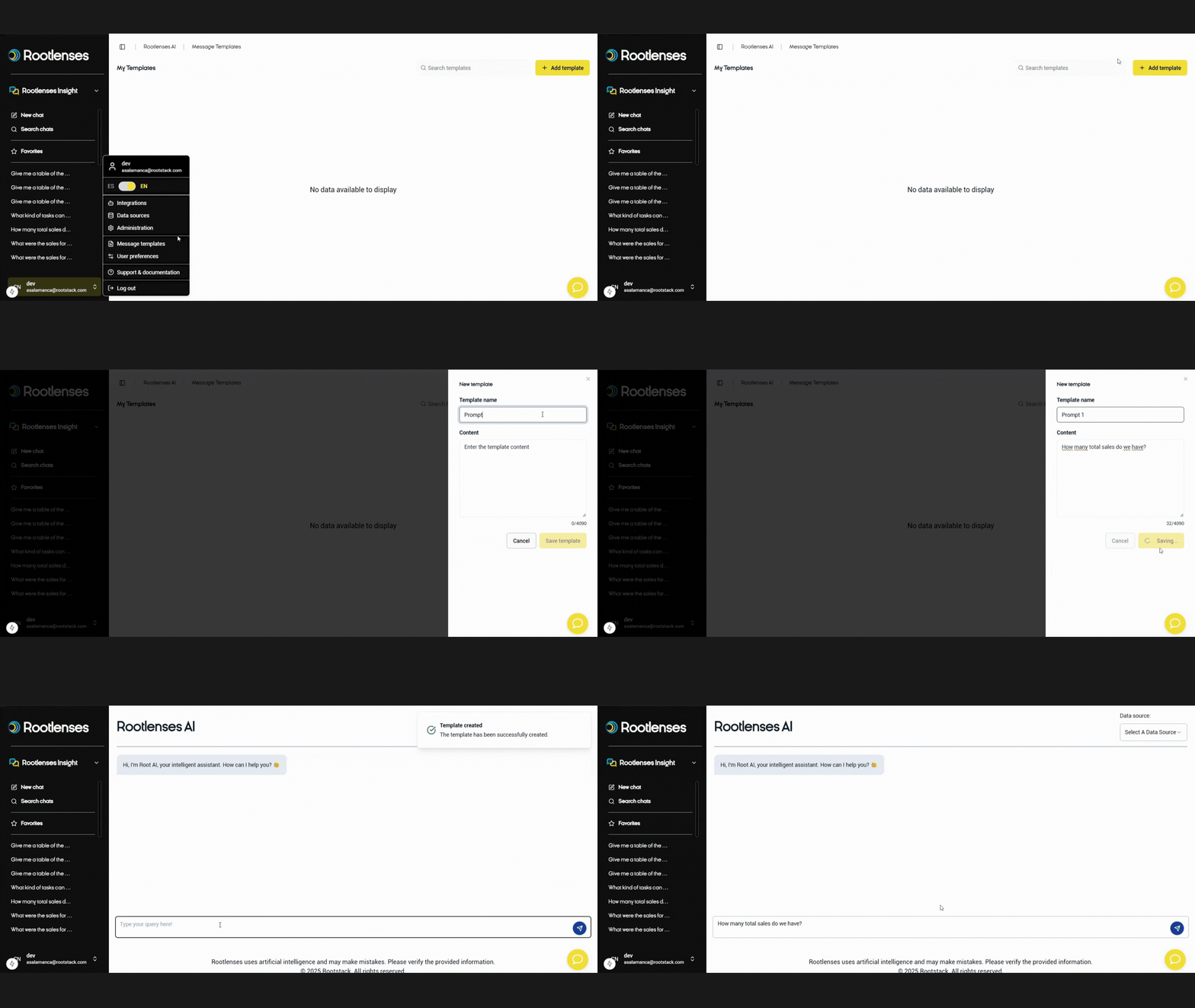
Create a template
- Go to the Create Template section. In the first field, write the name of the template.
- In the field below, write the prompt you want to save. Select “Save as Template.”
- Done — your template is created.
Edit a template
- From the Templates module:
- Select the template → Edit.
- You can update text, filters, names, or add additional context.
Reuse a template
You can:
- Use the Templates menu, or
- Simply insert the command (see below).
- Templates load instantly, ready to execute.
This turns templates into an internal knowledge repository — perfect for marketing, sales, analytics, or support teams.
Commands in the chat
Rootlenses Insight allows you to insert templates directly into the chat using a quick command.
Command:
/
When you type /, a menu will appear showing:
- Saved templates
- Quick actions
- Frequent queries
Just select the template you need, and the prompt will be inserted automatically into your chat. This reduces errors and speeds up your workflow.
Translation