2. Provider Module: Managing your telephone infrastructure
Main objective
Centralize and manage all your operation's telephone resources in one place, ensuring that your agents always have verified numbers and active credentials available to execute uninterrupted mass communications.
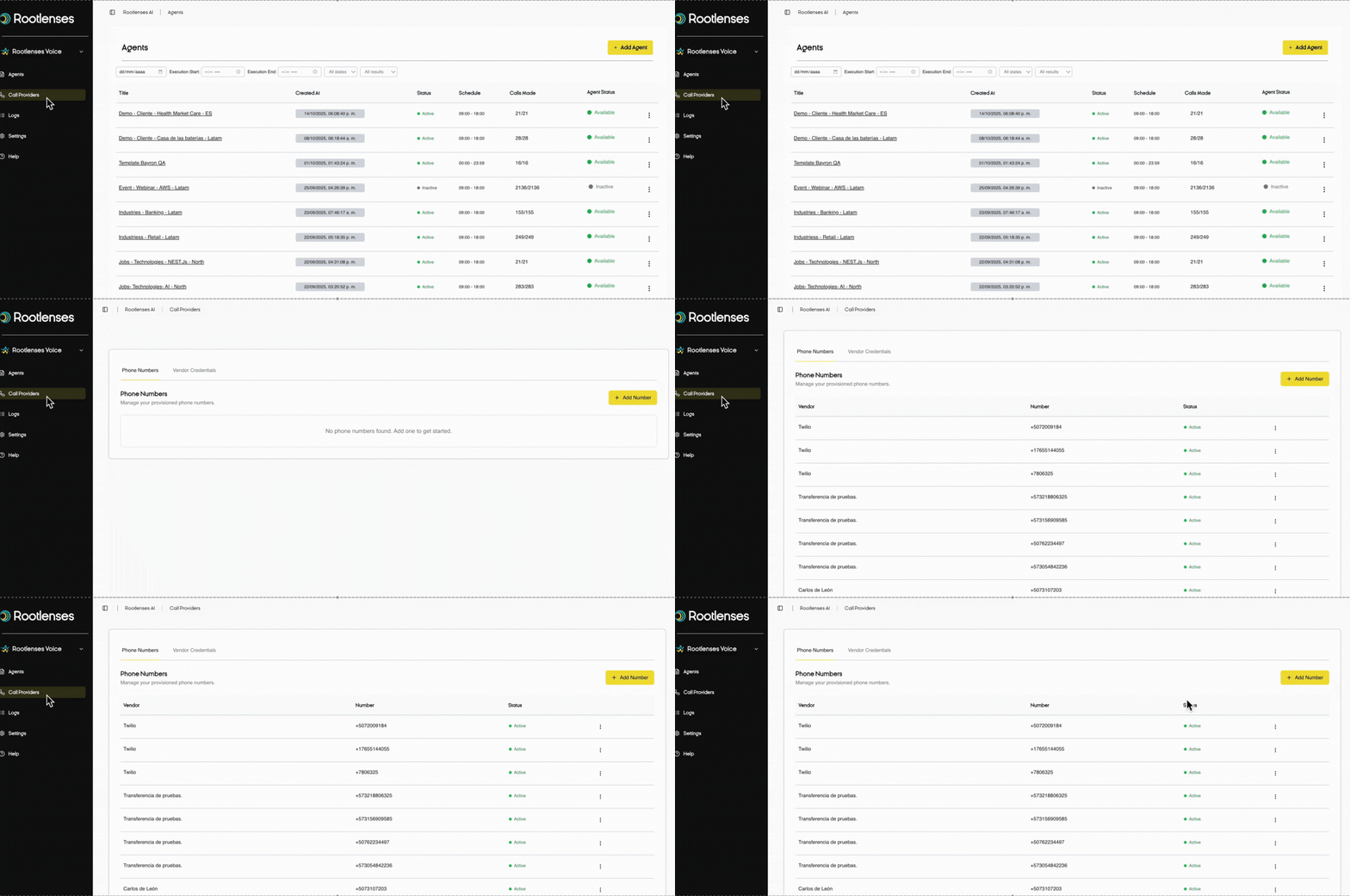
2.1. Tab: Phone numbers
What do you manage here?
All the phone numbers from which your brand communicates with customers. Each number represents an official point of contact and should reflect professionalism and reliability.
Number Table - Instant Visibility
Provider
Which phone company provides this number (Twilio, Plivo, etc.)
Number
The specific number in international format that your customers will see
Status
- Enabled: Ready to use in active campaigns
- Disabled: Temporarily down for maintenance or issues
Kebab Menu (⁝)
- Edit: Modify number settings
- Delete: Permanently remove from your operation
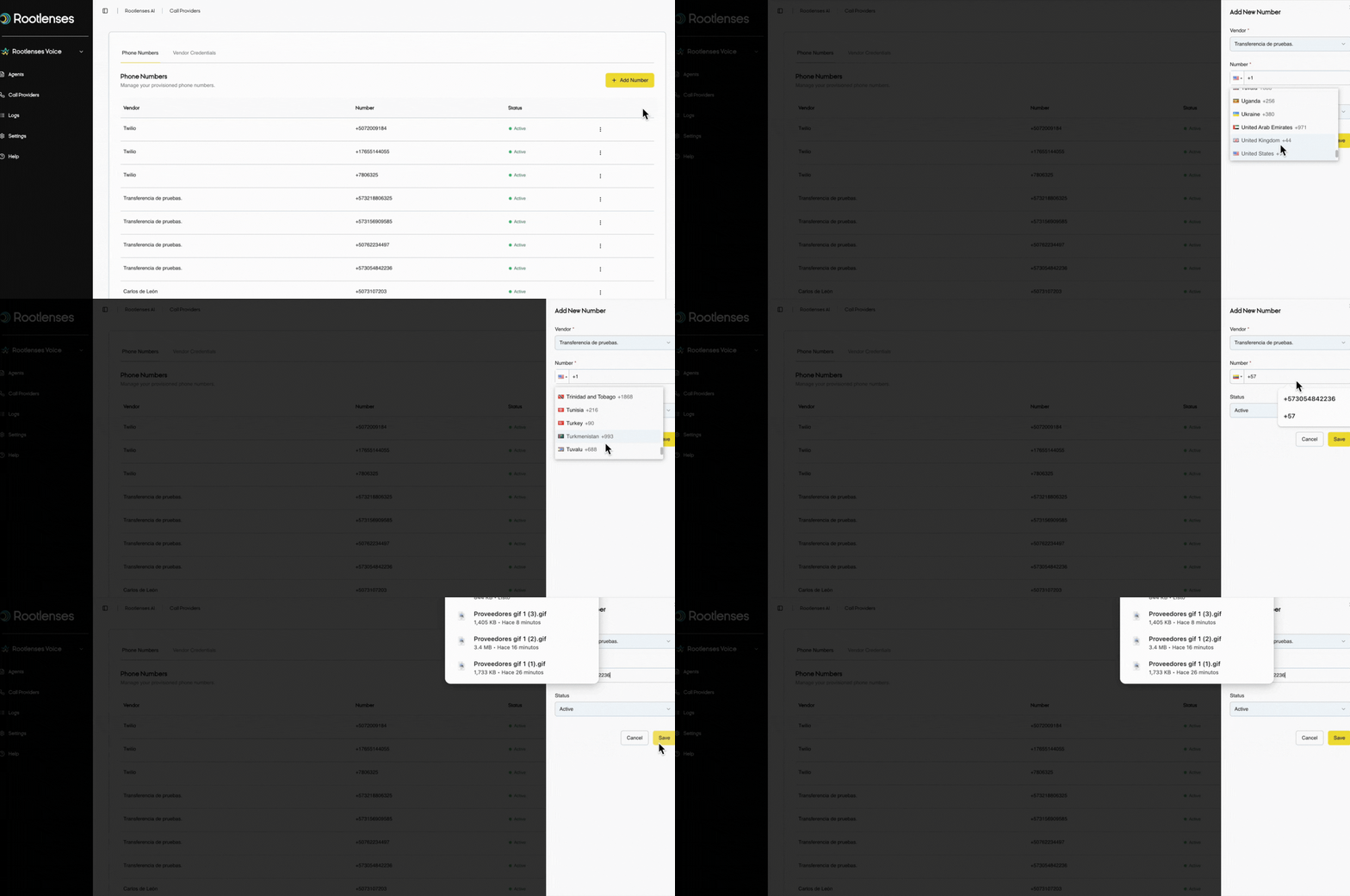
➕Add Number - Expand Your Capacity
Setup Modality:
Vendor
- Select from your configured providers or numbers for call transfers to humans.
Number
- Enter the number in valid international format (+1234567890).
Status
- Enabled → Available immediately
- Disabled → Configured but not operational
Cancel / Save
- Confirm or discard configuration changes
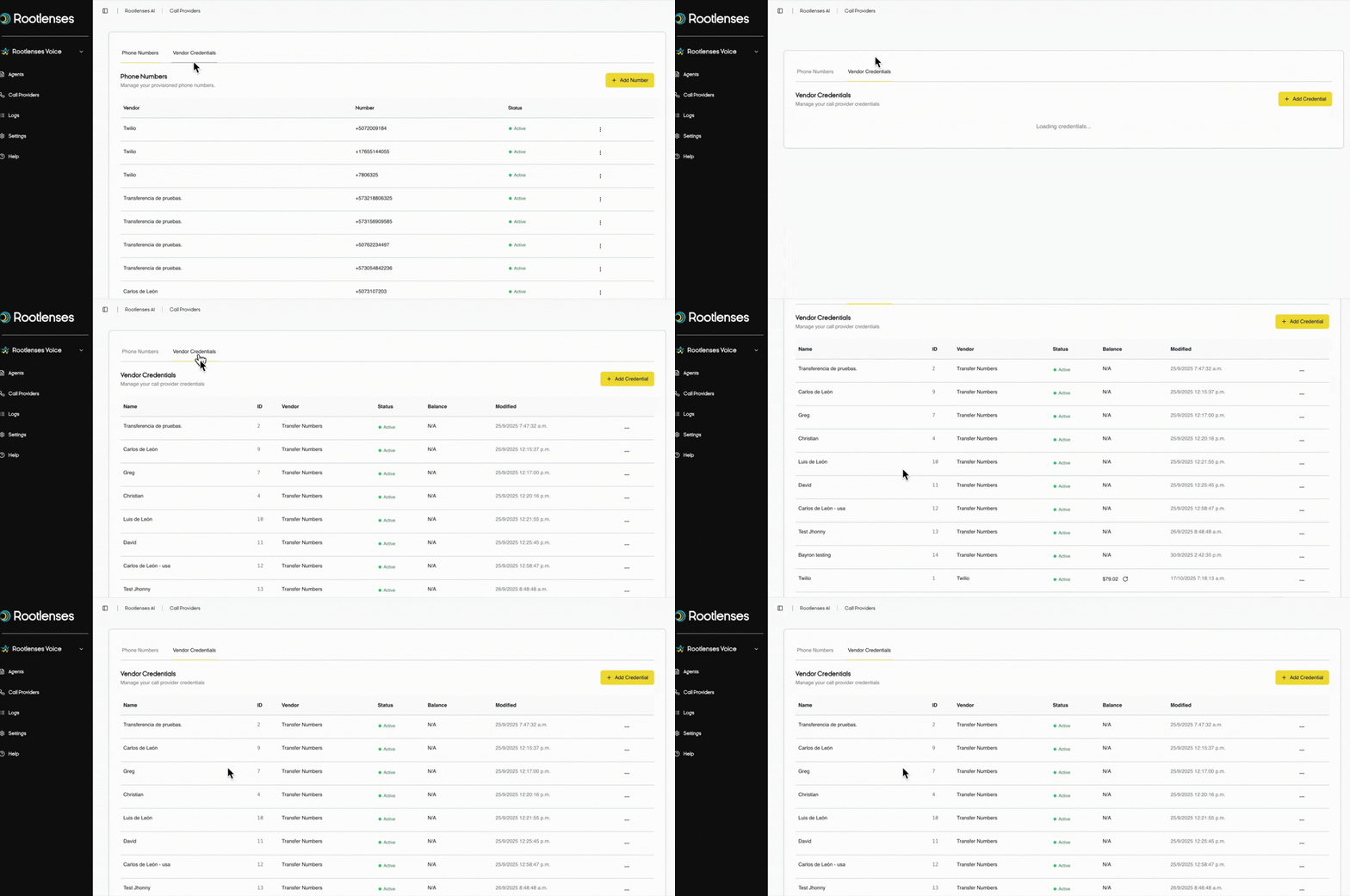
2.2. Tab: Supplier credentials
What do you manage here?
The authentication credentials that connect your platform to telephony services. Without these, your agents cannot make calls.
Credentials Table - Security and Control
Name
- Unique identifier for these credentials (e.g., "Twilio_Production")
Provider
- What service do these credentials represent (Twilio, Plivo, etc.)?
Status
- Valid: Credentials are active and working.
- Inactive: Credential is paused.
Created
- Initial setup date.
Modified
- Last updated these credentials
Kebab Menu (⁝)
- Edit: Update tokens or settings
- Delete: Permanently revoke access
2.3. The strategic value of the module
For your daily operations:
- Centralized management of all your telephone resources
- Instant visibility into the status of your infrastructure
- Quick configuration of new numbers for campaigns
- Immediate resolution of authentication issues
For scalability and growth:
- Easy expansion to new providers or regions
- Efficient management of multiple numbers per campaign
- Regulatory compliance with verified local numbers
2.4. Effective workflow example:
"You launch a new campaign in Mexico →
Add numbers +52 in the modal →
Check the enabled status →
Your agents start calling immediately"
Proven best practices
For Phone Numbers:
Always keep backup numbers enabled
- Verify the capacity of each number before mass campaigns
- Use local numbers for a higher response rate
- Monitor the reputation of your numbers regularly
For Credentials:
- Renew tokens periodically for security
- Check status weekly to prevent interruptions
- Keep backup credentials for contingency purposes
- Document changes for major modifications
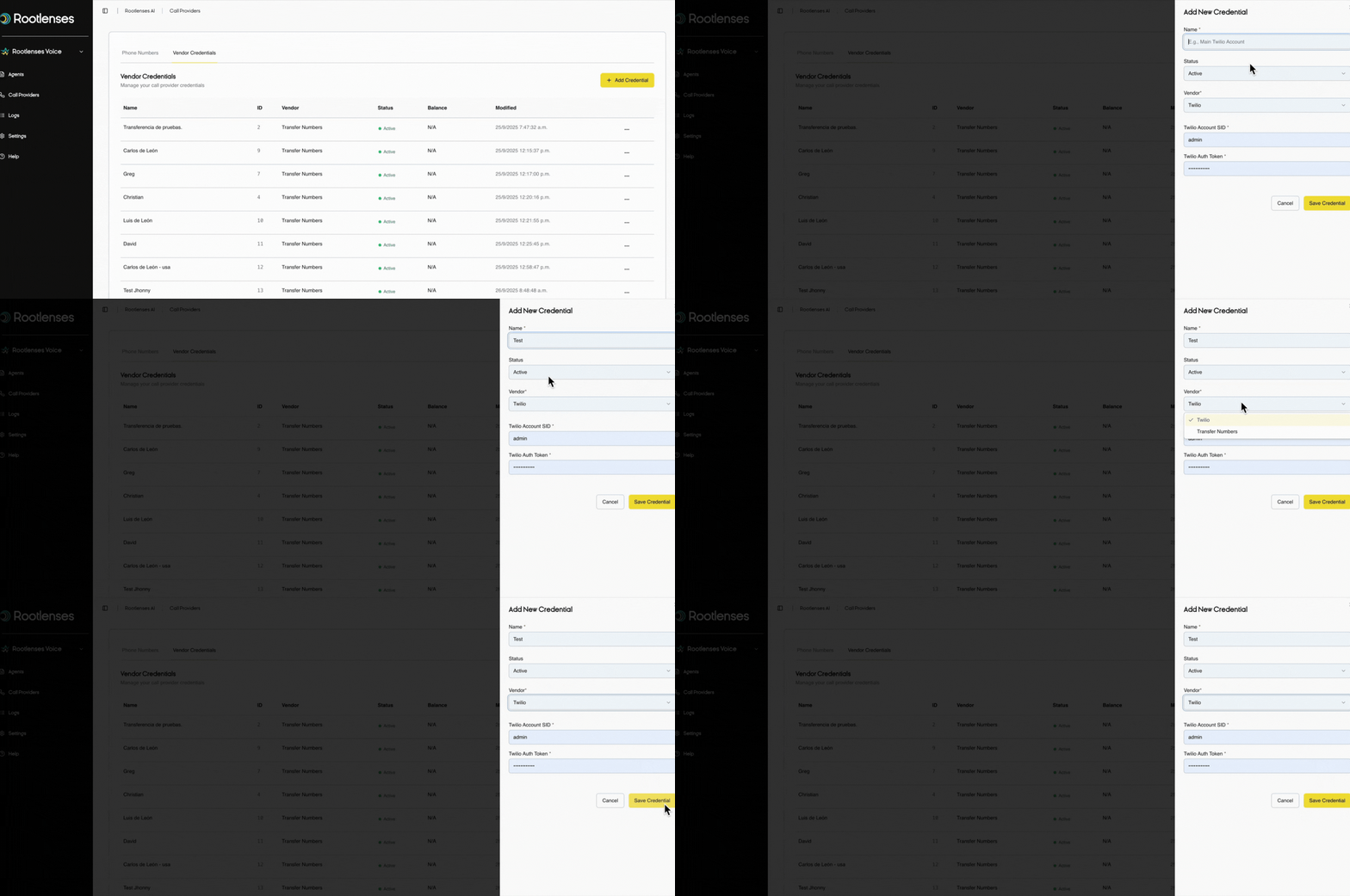
2.5. New provider configuration modal
➕ Clicking "Add Provider" displays a modal with:
Name
- Unique identifier for this configuration
- Example: "Twilio_Production", "Twilio_Backup", "Special_Transfers"
Status
- Active: Provider immediately available to your agents
- Inactive: Configured but not operational (testing or backup mode)
Provider
- Select the service type:
Twilio: For outbound call originating numbers
Transfer Numbers: For destination numbers for transfers to humans
Type-specific settings
- For Twilio Provider:
- Twilio Account SID
- Your unique Twilio account identifier
- Format: AC followed by 32 alphanumeric characters
- Twilio Auth Token
- Your security key for authentication
- Format: 32 alphanumeric characters - Handle with maximum security
For Transfer Provider Numbers:
- Simplified setup for transfer numbers
- No additional credentials required. Just select from your existing numbers
2.6. Strategic value of this setup
For Twilio:
- Enable outbound calling from your automated agents
- Connect your platform to global phone infrastructure
- Provide verified numbers for brand identity
- Enables immediate scalability on demand
For Transfer Numbers:
- Set up reliable destinations for hot transfers
- Ensure your customers always reach the right team
- Optimize the experience during human escalations
- Prepare your operation for complex cases that require personalized intervention
The Provider module is the technical foundation that makes your entire communications operation possible. A few minutes of proactive management here can prevent hours of operational issues later.